

Columns_layout
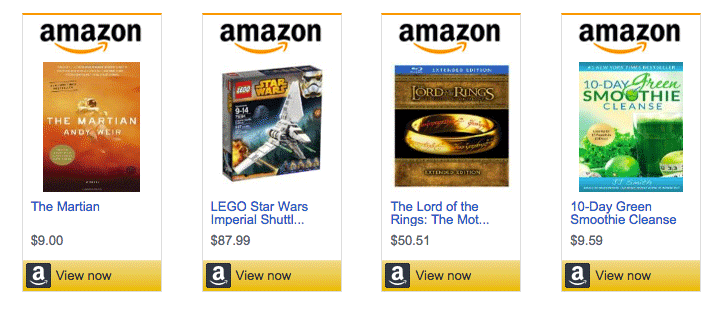
The managed template "Columns_layout" is specialized for displaying multiple products in colums. It works perfectly with ASA 2 collections or smart collections. It is customizable in general and per shortcode.
Main features
- Specialized for rendering multiple products in columns
- Responsive design
- Adjustable columns count per screen width
- Customizable without programming skills
Demo page
To see this template in action with different examples, please refer to the demo page:
🚀 Columns_Layout Demo & Examples
Example
Example shortcode:
[asa2_smart_collection cat_slug="demo-products" limit="4" tpl="Columns_layout" orderby="rand" /]Global Options
On ASA 2's admin page "Templates" you can open a customization context window for each managed template. Just hover the mouse cursor over a template row and click the link "Customize" to open it. These settings will effect the appearance of this template.
INFO
The globally applied options can be dynamically overwritten via shortcode options <#shortcode-options>.
The following screenshot illustrates the options window by means of the "Book" template:

Shortcode Options
In addition to the global options <#global-options> mentioned above, it is also possible to overwrite these settings dynamically in a WordPress shortcode, like this:
// general syntax:
[asa2 option="value"]ASIN[/asa2]
Take a look at other examples <#shortcode-options-examples>.
Complete Options List
Complete list of all options available for this template:
Shortcode Options Examples
// to show 6 columns on large devices instead the generally configured number
[asa2_smart_collection cols_lg="6" cat_slug="demo-products" /]

// to render 2 columns on extra small devices
[asa2_smart_collection cols_xs="2" cat_slug="demo-products" /]