

Setup
After ASA2 is successfully installed, it is recommended to open the Setup page. Here you decide how ASA2 gets its product data.
INFO
You have to log in as an administrator to be able to access the setup.
The Setup page has these tabs:
- Amazon Creators API — the first tab, and the one the page opens on. The Creators API is the only Amazon API that returns product data. See Creators Api.
- Amazon PA API — marked Deprecated. Amazon has retired the Product Advertising API. The tab remains available so existing setups can review their stored credentials.
- Without API — how to use ASA2 without any Amazon API connection.
- Associate ID Sets (PA API) — manage multiple Amazon Associate IDs, see Associate ID sets.

Amazon Creators API
The Amazon Creators API is the API to use for Amazon product data. It requires:
- PHP 8.1 or higher
- Separate credentials for each Amazon marketplace you want to load products from
For detailed setup instructions, see Creators Api Setup.
No API access yet?
An Amazon API connection is not required to work with ASA2. See Without API for what you can do without one.
Amazon PA API
Amazon has retired the Product Advertising API (PA API 5.0), and the tab is labelled Deprecated. It is no longer used for product requests.

WARNING
Your PA API credentials stay stored and the tab stays available so you can review them, but they do not provide product data any more. To load or update Amazon products, set up Creators API credentials for every marketplace you use.
The remaining sections on this page describe the PA API settings for reference: Set up Amazon Associate Account, Amazon Access Key, Secret Key Encryption and Default Tracking ID and Store.
Without API
You can use ASA2 without any Amazon API connection. The Without API tab collects the two ways to do that, each with a screencast and a link to the matching chapter of this documentation.
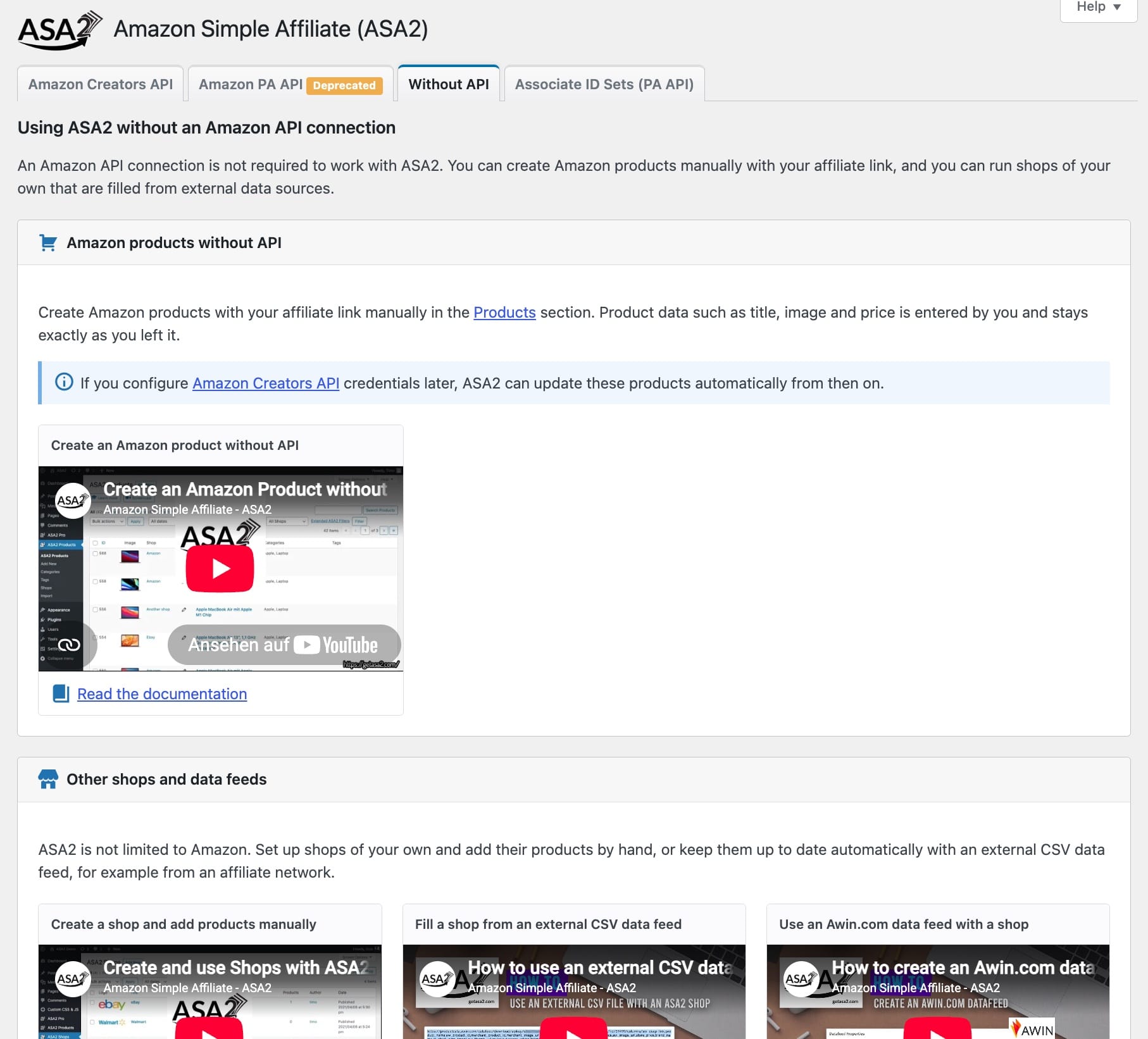
Amazon products without API
Create Amazon products with your affiliate link manually in the Products section. Product data such as title, image and price is entered by you and stays exactly as you left it. This is a premium feature.
INFO
If you configure Amazon Creators API credentials later, ASA2 can update these products automatically from then on.
Other shops and data feeds
ASA2 is not limited to Amazon. Set up shops of your own and add their products by hand, or keep them up to date automatically with an external CSV data feed, for example from an affiliate network.
- Create a shop and add products manually
- Fill a shop from an external CSV data feed
- Use an Awin.com data feed with a shop
For more details about how to use other shops, check the Shops chapter.
Screencast
Set up Amazon Associate Account
The Amazon PA API tab expects the access data of your Amazon Associate account, registered for the Amazon PA API.
INFO
You cannot register for the Amazon PA API any more. If you do not have working PA API credentials today, go straight to the Creators API setup.
Amazon Access Key

Enter your "Access Key" and "Secret Key" you received when you registered for the Amazon PA API (see screenshot below).

You can also manage your credentials after registration in the menu "Tools / Amazon Product Advertisment API" in section "Manage Your Credentials" (see screenshot below). There you can also request a set of new credentials.

Secret Key Encryption
ASA2 provides enhanced security for your Amazon PA API credentials through Secret Key Encryption. This feature uses industry-standard AES-256-CBC encryption to protect your secret access key when stored in the WordPress database.

Security Benefits
- Strong Encryption: Uses AES-256-CBC encryption with cryptographically secure initialization vectors
- Enhanced Security: Protects your Amazon API credentials at rest in the database
- Automatic Key Management: Generates and manages encryption keys securely
- Migration Support: Automatically detects and upgrades from older encryption methods
How It Works
When Secret Key Encryption is enabled:
- Your secret access key is encrypted using AES-256-CBC before being stored
- A unique encryption key is generated and securely stored
- Decryption happens automatically when ASA2 needs to use your credentials
Configuration
The encryption option appears as a checkbox in the PA API setup:
- Label: "Secret Key Encryption"
- Default: Enabled for new installations and recommended for existing users
- Requirement: You must re-enter your secret key when changing this setting
INFO
Recommended for all users: This feature significantly enhances the security of your Amazon API credentials. Disable only if you experience activation problems.
WARNING
Important: Changing the encryption setting requires re-entering your secret access key. Make sure you have your credentials available before making changes.
Migration from Older Encryption
If you're using an older version of ASA2 with legacy encryption, you'll see a warning message prompting you to upgrade:
"Your Secret Key is encrypted with an older method. We recommend enabling the 'Secret Key Encryption' option below and re-entering your Secret Key for improved security."
To upgrade:
- Check the "Secret Key Encryption" option
- Re-enter your secret access key
- Save the settings
This ensures your credentials are protected with the latest security standards.
How to configure an IAM user
For more information on how to configure an IAM user to use the Product Advertising API, please check out this official AWS documentation page: Managing your Existing AWS Security Credentials for the Product Advertising API.
Default Tracking ID and Store

Enter your "Tracking ID" and "Default Store". They will be used for all requests without tracking ID and country code.
INFO
With ASA2 you can define custom tracking IDs and country codes, see Shortcodes Asa2.
After you have saved your account data, the status should change to "Connected".

When loading the setup page, the Amazon PA API connection status is checked once per hour.
Where are my credentials?
You do not have an account yet?
Please read my step-by-step tutorial How to register a new account for Amazon Affiliate Program.
You already have an account?
If you already have an account, log in to https://console.aws.amazon.com/ and access the section "Your Security Credentials". There you will get your "Amazon Access Key ID" and "Secret Access Key":


Where is my tracking ID?
If you do not know where to find your tracking ID for the Amazon Product Advertisment API, please read my guide Finding your Amazon Tracking ID.
Associate ID sets
With Associate ID sets you can manage multiple Amazon Associate IDs for different country stores. The sets are used by ASA2's I18N feature.

When you create an Associate ID set, enter an unique name, your Amazon Associate IDs by country and an optional comment.

Your first set will automatically be marked as default. If you have multiple sets, you can change which one should be used by default.

The Associate ID sets will be used, when ASA2 renders an internationalized product. For example, if a product from the german store will be loaded, the Associate ID for the german store from the default set will be used. If no matching ID will be found, the default Associate ID configured on the setup page will be used (Setup Tracking And Store).
For more details see I18N Associate Id Mapping.