

Analytics
The Analytics page provides detailed click analysis across five sections. All sections share the same date range selector and only display data when Built-in Tracking is enabled. If Built-in Tracking is disabled, the page shows a notice.
INFO
Analytics data is based on Built-in Tracking. Matomo and GA4 data is available in their respective dashboards.
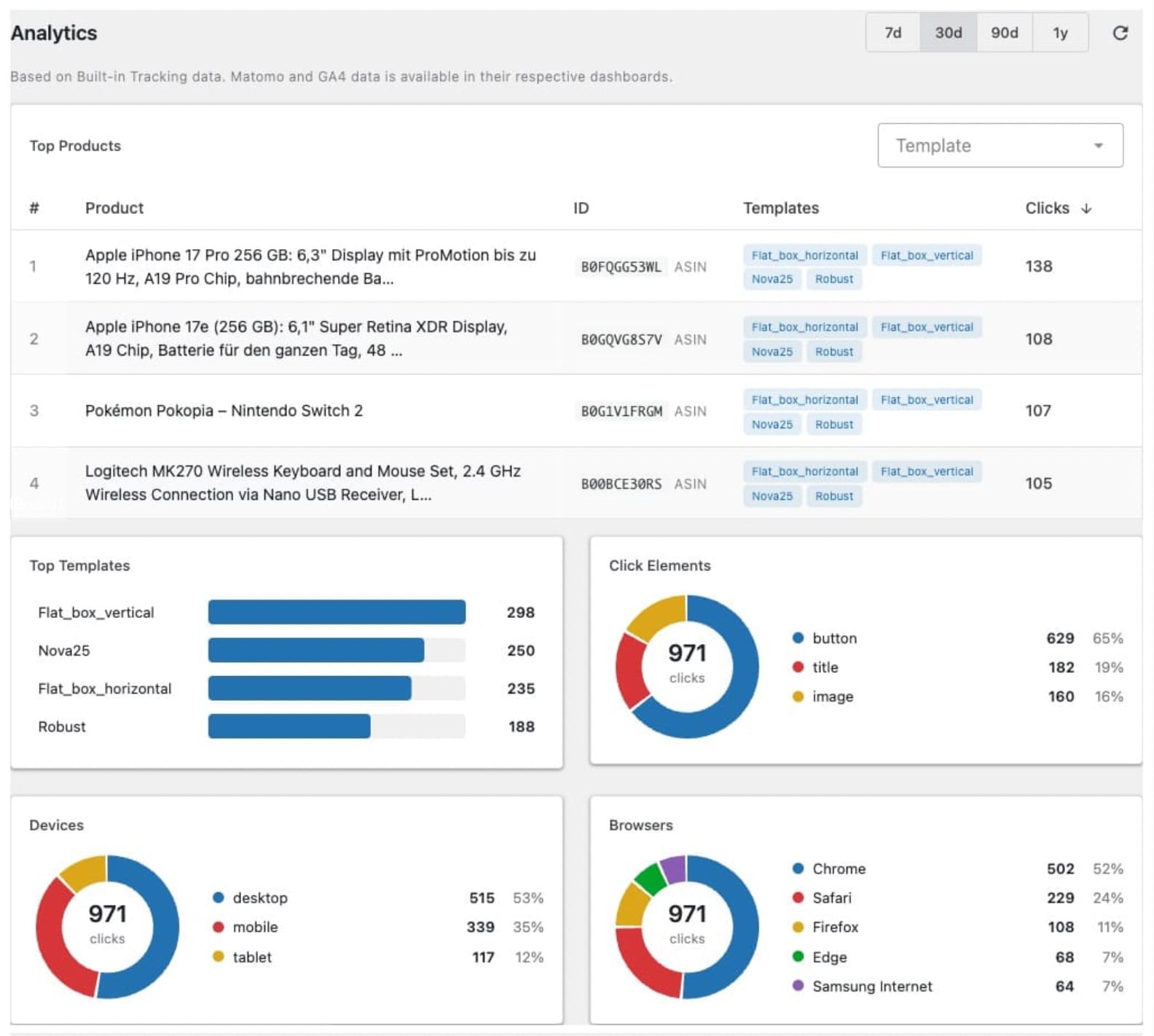
Top Products
A sortable table of the most-clicked products. Each entry shows:
- The product title (with a link to the product editor, if available in ASA2's product repository). Long titles are truncated to 100 characters.
- The product identifier (ASIN for Amazon products, internal Product ID for non-Amazon products)
- Which templates were used to display the product
- The total click count
You can filter by template using the dropdown. Click the Product or Clicks column headers to sort. Rows use alternating background colors for readability.
Top Templates
A horizontal bar chart showing which templates generate the most clicks. Bars are scaled relative to the most-clicked template.
Click Elements
A donut chart showing the distribution of clicks across element types — for example, how many clicks went to button, title, or image links. The center shows the total click count. Hover over segments or legend items for visual feedback.
Devices
A donut chart showing the distribution of clicks by device type:
- Desktop — Standard computers and laptops
- Mobile — Smartphones
- Tablet — Tablets (iPad, Android tablets, Kindle)
Browsers
A donut chart showing the distribution of clicks by browser — Chrome, Firefox, Safari, Edge, Opera, and others. This helps you understand which browsers your visitors use when clicking affiliate links.