
Custom Fields
Products
You can create Custom Fields for your Products items. I recommend usnig Advanced Custom Fields (ACF) for managing your custom fields (see Product Custom Fields in the Products section manual).
When a product gets loaded from your Products section, you can access its custom fields by using this special placeholder:
{{ repo_custom_field_* }}You just have to replace the asterisk ("*") with the name of your custom field. If you have a custom field "my_rating", the placeholder should be:
{{ repo_custom_field_my_rating }}Of course you can combine this placeholder with any feature of the Template Syntax:
For example with conditions:
{% if repo_custom_field_my_rating >= 7 %}
    Perfect!
{% elseif repo_custom_field_my_rating >= 4}
    Pretty good.
{% else %}
    Not so good ...
{% endif %}
Posts
You can access the custom fields of the currently loaded post from inside an ASA 2 template with the following syntax:
{{ post_custom_field_* }}This gives you a great flexibility to dynamically change the contents of a template from the outside, based on custom fields of a post.
Add ratings dynamically
Let's say you only want to show the product ratings in certain posts. You do not have to design two seperate templates. All you need to do is to create a condition inside the template which depends on the presence and / or content of a custom field.
{% if post_custom_field_show_ratings is not empty %}
	Let's show the rating:
	{{ CustomerReviewsImgTag }} ({{ CustomerReviewsAverageRating }})
{% endif %}
To show the ratings inside the if/else condition, all you have to do is define the custom field with a value that validates to true on the post where you want to show product ratings:
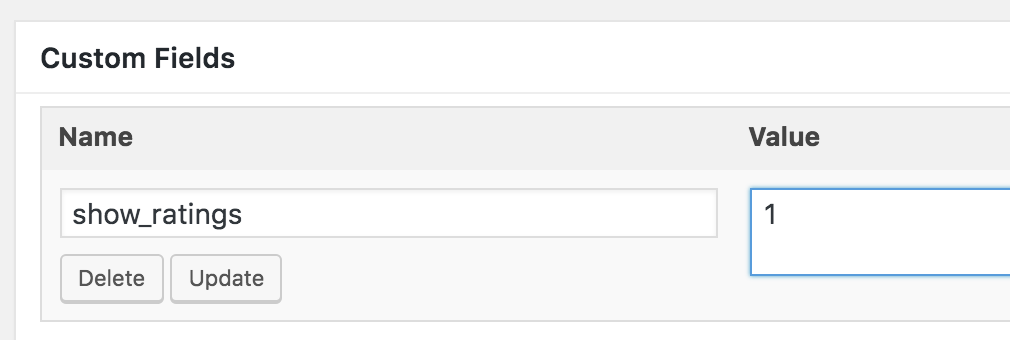
This would be the result:
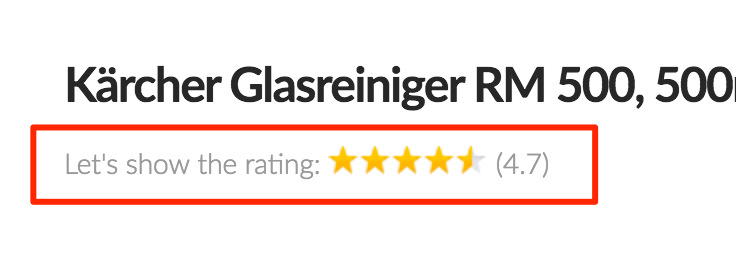
Add a personal rating
Additionally you could want to add a personal rating on a product review page. This could be included inside an ASA 2 template and it would only be shown if you define your personal rating in form of a custom field. For the following example I choose the custom field name "my_rating" which is meant to be a number from 1 to 10.
{% if post_custom_field_my_rating is not empty %}
<div class="my_rating_box">
  My personal rating is:
  <span class="my_rating">{{ post_custom_field_my_rating }} / 10</span>
</div>
{% endif %}
If the custom field "my_rating" would be filled with "7" ...
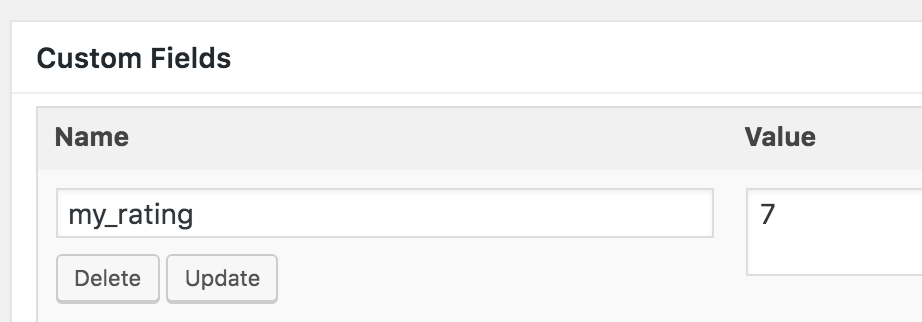
... it would display like so (in addition to the example above):