

Template Compatibility
Managed Templates (Automatic)
For ASA2's built-in managed templates, tracking attributes are injected automatically. No changes to your templates are needed.
The automatic injection works by detecting two attributes that ASA2 Core adds to managed templates:
data-tplon the container element — identifies the template name.data-linktypeon link elements — identifies the click element type (title, image, button, etc.).
ASA2 Tracking converts these into its own tracking attributes at render time.
INFO
Some managed templates do not yet have data-linktype on all links. These templates still track clicks at the container level, but cannot distinguish which specific element (button, title, image) was clicked. This is being addressed in ASA2 Core updates.
Custom Templates
If you create custom templates, use the provided template functions to enable tracking.
On the container element (the outermost <div> of your template):
<div class="my-template" {{ asa2_tracking_container_attr() }}>
  ...
</div>
This outputs data-asa2-tpl="Your_Template" data-asa2-asin="B08N5WRWNW" data-asa2-product-id="123" with the correct values from the template context.
On each affiliate link:
<a href="{{ AmazonUrl }}" {{ asa2_track_attr('button') }}>Buy Now</a>
<a href="{{ AmazonUrl }}" {{ asa2_track_attr('title') }}>{{ Title }}</a>
<a href="{{ AmazonUrl }}" {{ asa2_track_attr('image') }}><img src="..." /></a>
The asa2_track_attr() function accepts a string that identifies the element type. Common values are button, title, and image, but you can use any identifier (e.g., price, badge, custom-cta).
Complete Example
<div class="my-product" {{ asa2_tracking_container_attr() }}>
  <h3>
    <a href="{{ AmazonUrl }}" {{ asa2_track_attr('title') }}>{{ Title }}</a>
  </h3>
  <a href="{{ AmazonUrl }}" {{ asa2_track_attr('image') }}>
    <img src="{{ ImageUrl }}" alt="{{ Title }}" />
  </a>
  <a href="{{ AmazonUrl }}" {{ asa2_track_attr('button') }} class="buy-btn">
    Buy on Amazon
  </a>
</div>
Template Checker
The Template Checker tool on the ASA2 → Tracking page lets you verify whether your templates are correctly set up for click tracking. Select a template from the dropdown or click Check All to analyze all templates at once.
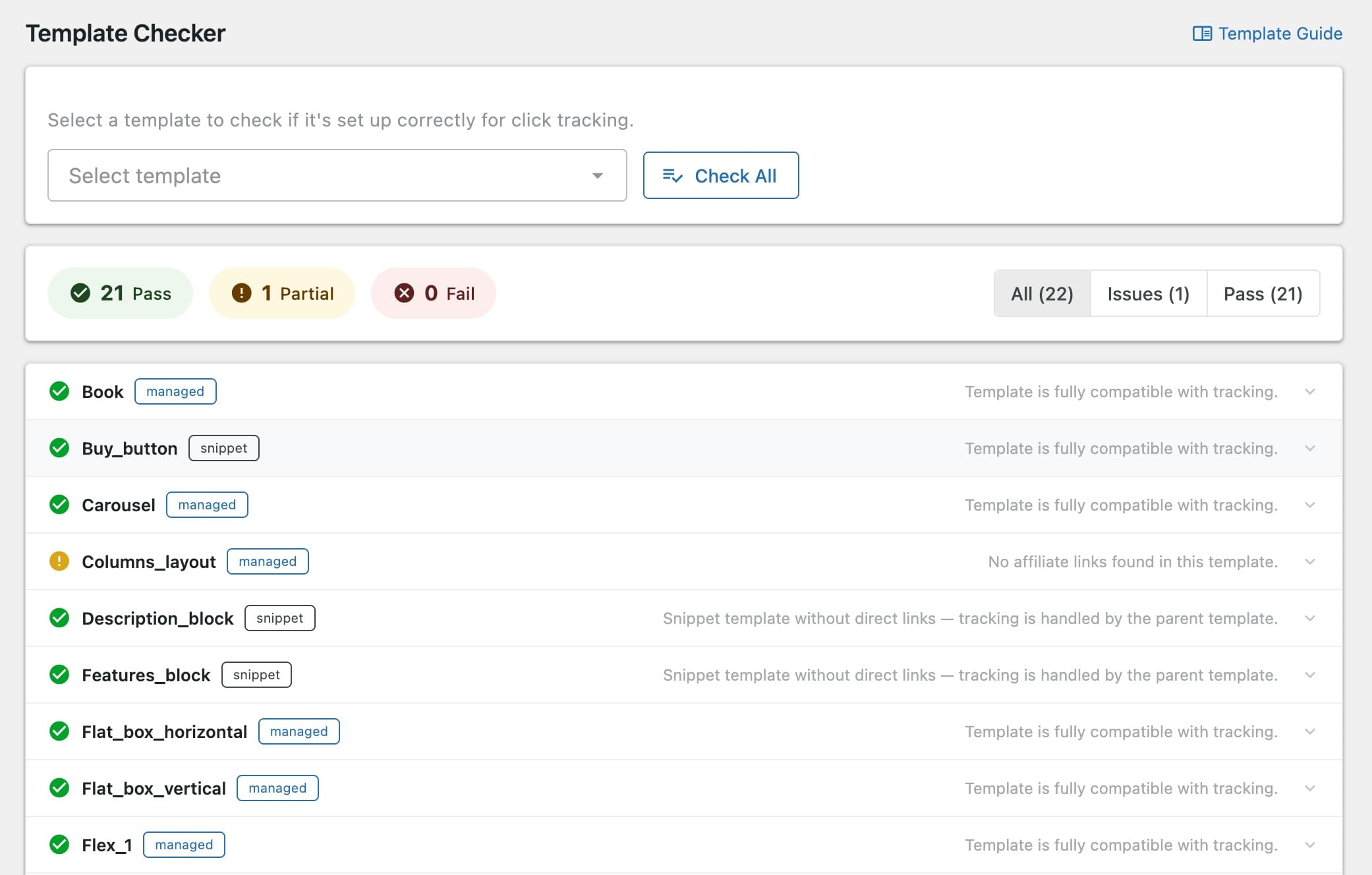
Each template receives one of three statuses:
- Pass — Fully compatible with tracking.
- Partial — Some links are tracked but others are missing the required attributes.
- Fail — Missing required attributes; tracking will not work for this template.
For custom templates that fail the check, the checker tells you exactly which attributes to add. See the Custom Templates section above for implementation details.
Ad-Blocker Considerations
Ad blockers and built-in browser tracker blockers may interfere with click tracking. ASA2 Tracking takes several measures to minimize false positives:
- Abbreviated naming — REST API paths, JavaScript files, and configuration variables use short, non-descriptive names to avoid matching ad-blocker filter lists.
- Fetch with keepalive — The tracking script uses
fetch()withkeepalive: trueas the primary method for sending click data, which is more reliable thansendBeaconwhen ad blockers are active.
Despite these measures, some browsers or ad-blocker configurations may still block tracking requests. This is a fundamental limitation of client-side tracking and not specific to this plugin.
Which Provider Is Least Affected?
The Built-in Tracking provider is the most resilient because it uses a simple POST request to your own WordPress site. Only the initial request can be blocked. Matomo and GA4 are more likely to be affected because ad blockers specifically target their JavaScript APIs and domains.